
Departure
Fly a supported SID from the runway, following waypoints and altitude targets.
Example: SID ADIVO 4N
Interactive IFR simulator · iPhone & iPad
Build familiarity with instrument flying, departure procedures, navigation and ILS approaches through interactive cockpit practice and automated ATC scenarios.
 Coming soon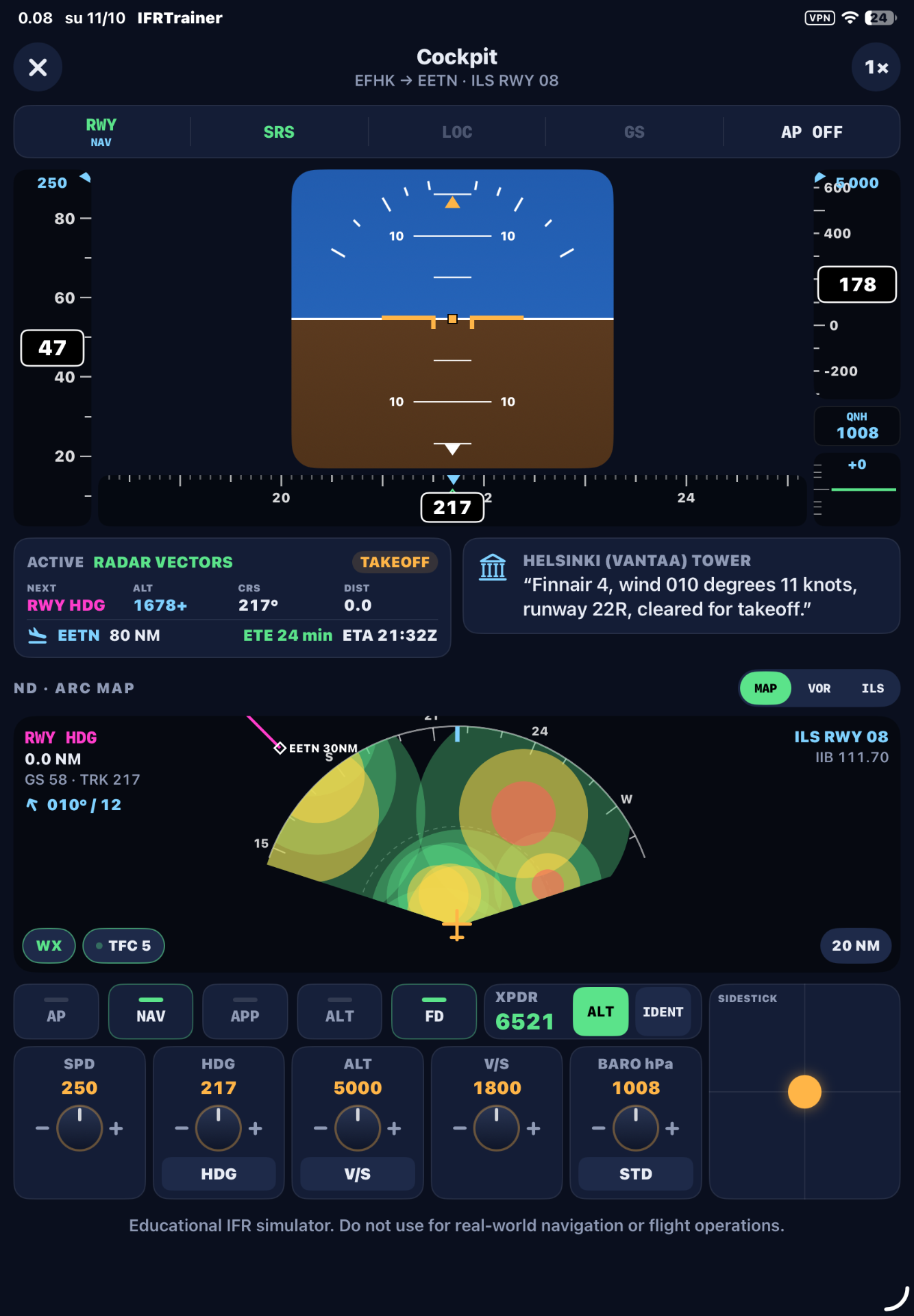
Inside the simulator
Real screens from IFR Flight Sim.
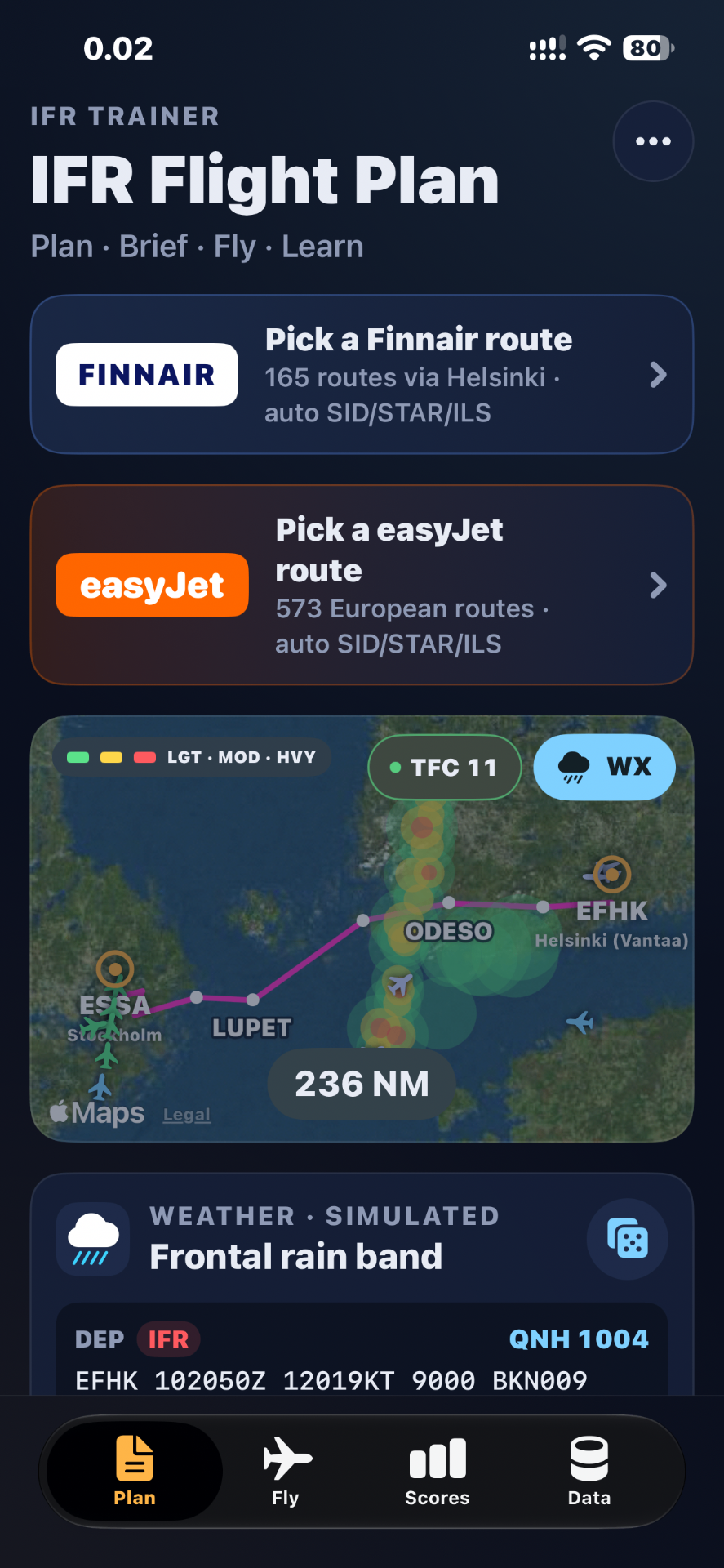
Pick a route, then review the route map, total distance and available procedures before you fly.
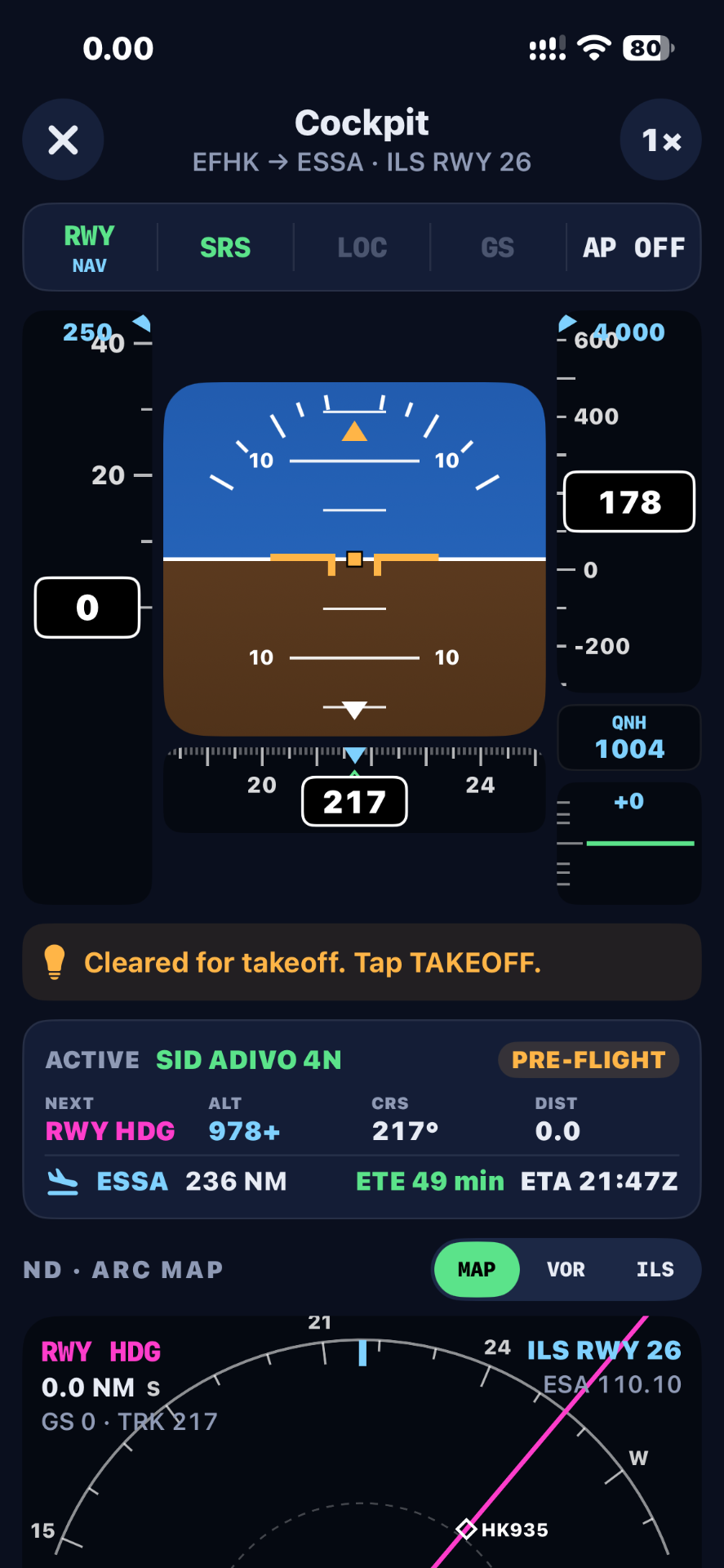
Interpret airspeed, altitude, attitude, heading and vertical speed on a glass-cockpit style display with flight mode annunciations.
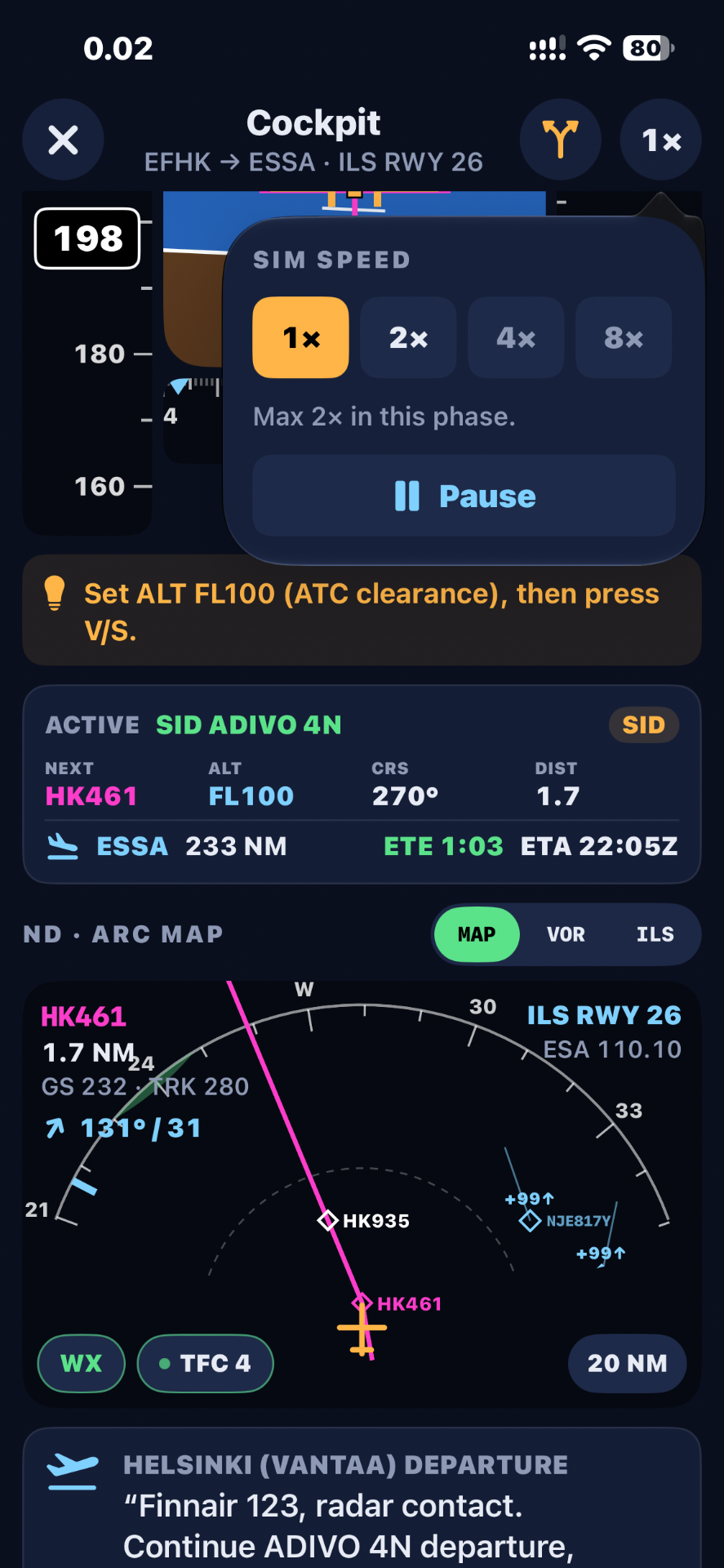
Follow supported SID procedures with next waypoint, target altitude, course and distance always in view.
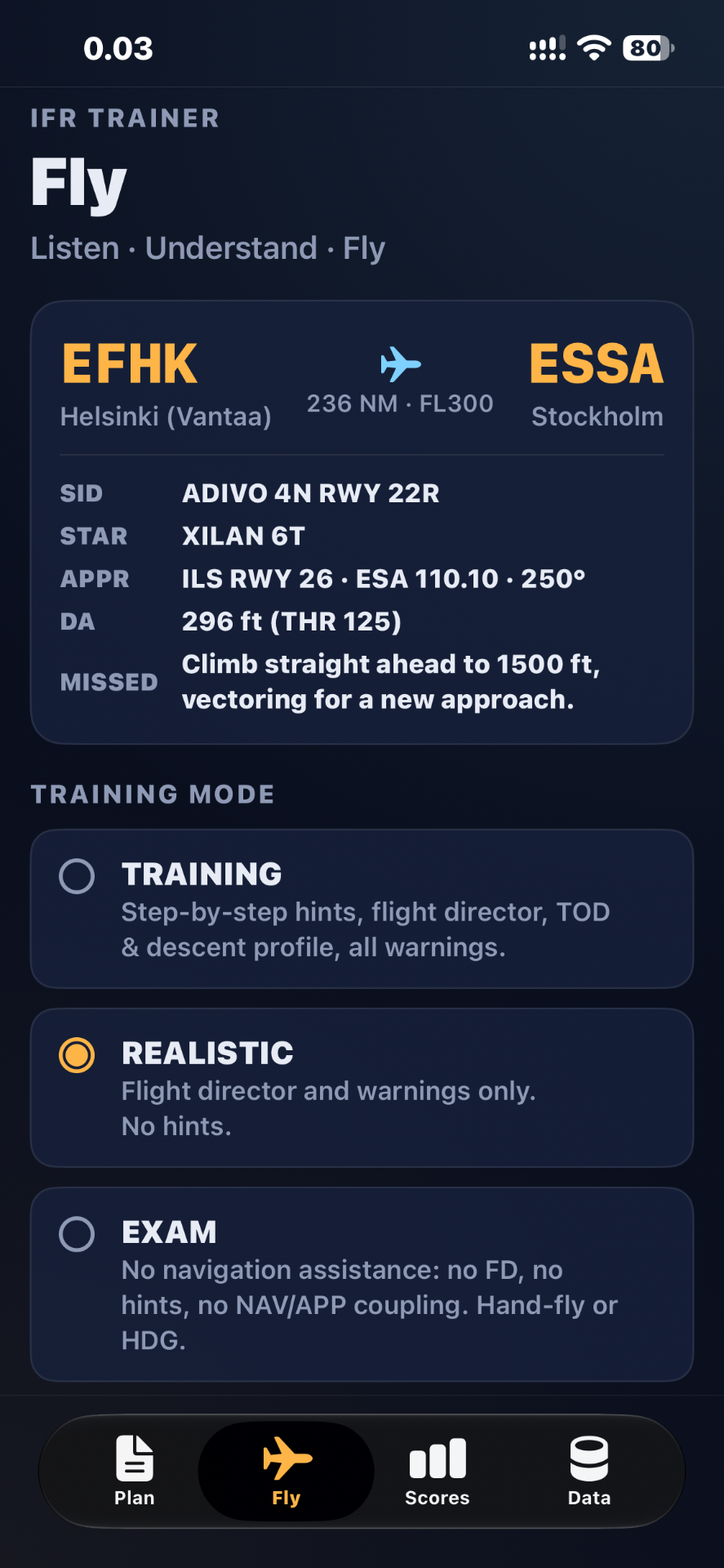
Review the SID, STAR, ILS frequency and course, decision altitude and missed approach, then choose Training, Realistic or Exam mode.
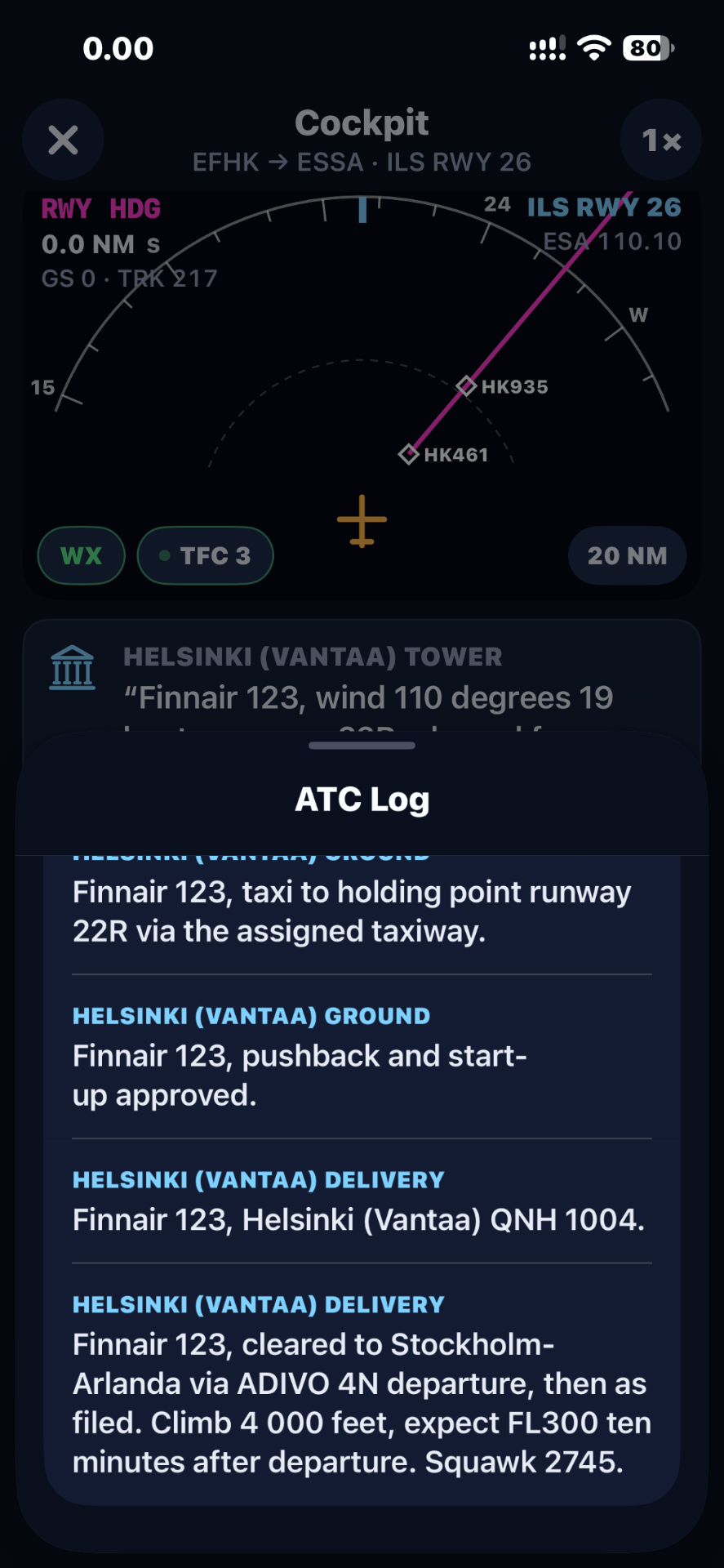
Receive simulated clearances and instructions during supported phases of flight, with a running log you can review.
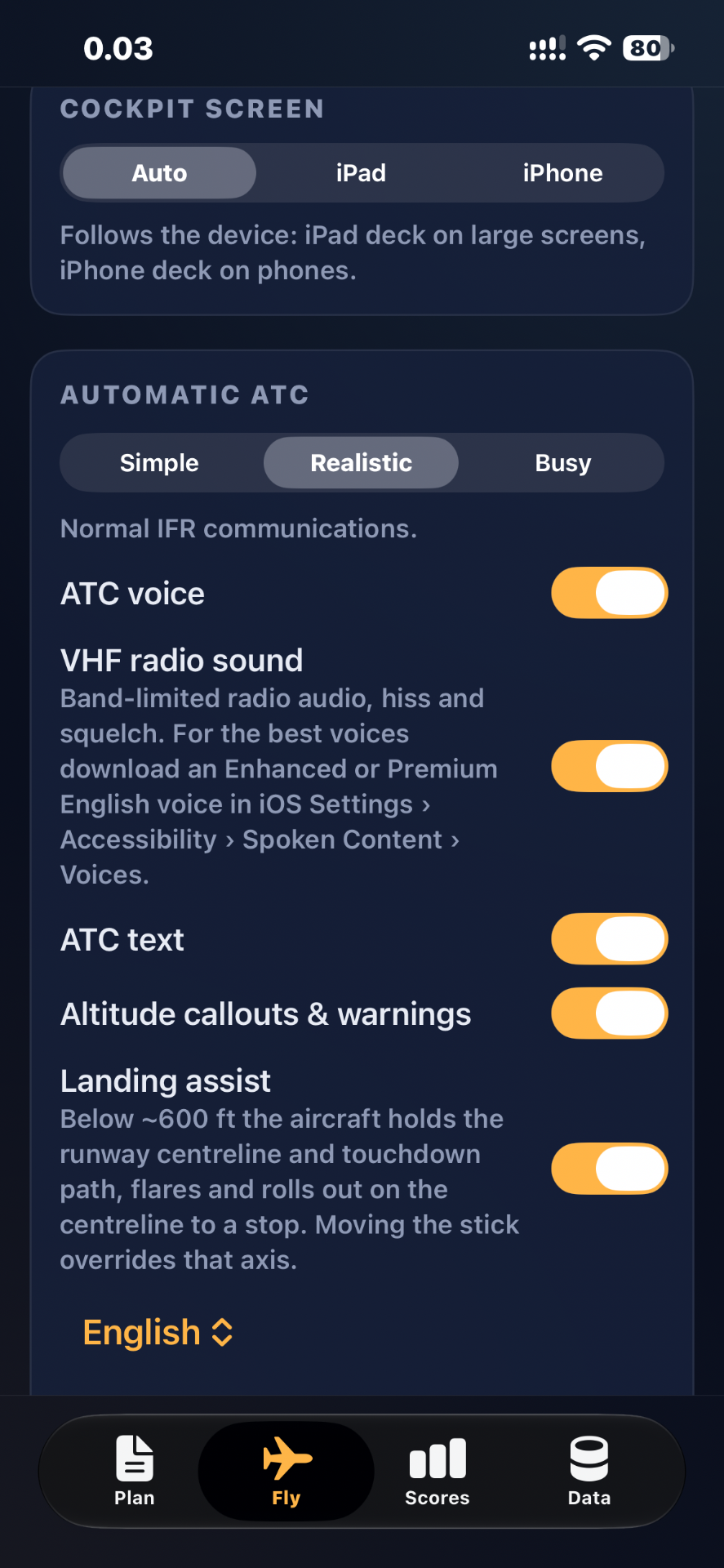
Choose the ATC traffic level and switch ATC voice, radio sound, text, callouts and landing assist on or off.
How it works
An illustrative training workflow. Available routes and procedures depend on what the simulator supports.
Select a departure and destination.
Check the route and available procedures.
Set up and take off from the runway.
Fly the instruments and navigation cues.
Practise the ILS and review the result.
Training scenarios
Fly a supported SID from the runway, following waypoints and altitude targets.
Example: SID ADIVO 4N
Track your planned route with course, distance and next-waypoint guidance.
Example: EFHK → ESSA · 236 NM
Brief and fly the instrument approach down to decision altitude.
Example: ILS RWY 26 · DA 296 ft
Examples shown are from the simulator. Simulated data is not for operational use.
Pricing
Experience the simulator before you buy.
Free
No payment required to start.
Flexible access to IFR practice.
To be announced
Billed monthly. Renews automatically until cancelled.
Subscriptions open soon. Start with the free trial.
For pilots who practise regularly.
To be announced
Billed yearly. Renews automatically until cancelled.
Subscriptions open soon. Start with the free trial.
For flight schools and training organisations.
Custom
Pricing and terms agreed with our team.
Coming soonThe App Store listing is in preparation. The badge will link to the store page as soon as it goes live.
No. It is an educational simulation product. It does not replace an approved simulator, a flight instructor, official charts or real-world procedures, and it cannot be used to log training time.
Student pilots, pilots preparing for instrument rating training, licensed pilots refreshing IFR procedures, aviation enthusiasts and flight schools.
No. Only the routes and procedures included in the simulator are supported. Navigation data is simulated and not for operational use.
No. The simulator presents automatic ATC clearances and instructions; the current workflow does not require manual acknowledgement or voice input.
Yes, a free trial is available so you can explore the simulator before choosing a plan.
Yes. Contact us to discuss access for your organisation.
Start your free trial and step into the cockpit.